5.3. POLYGONEM
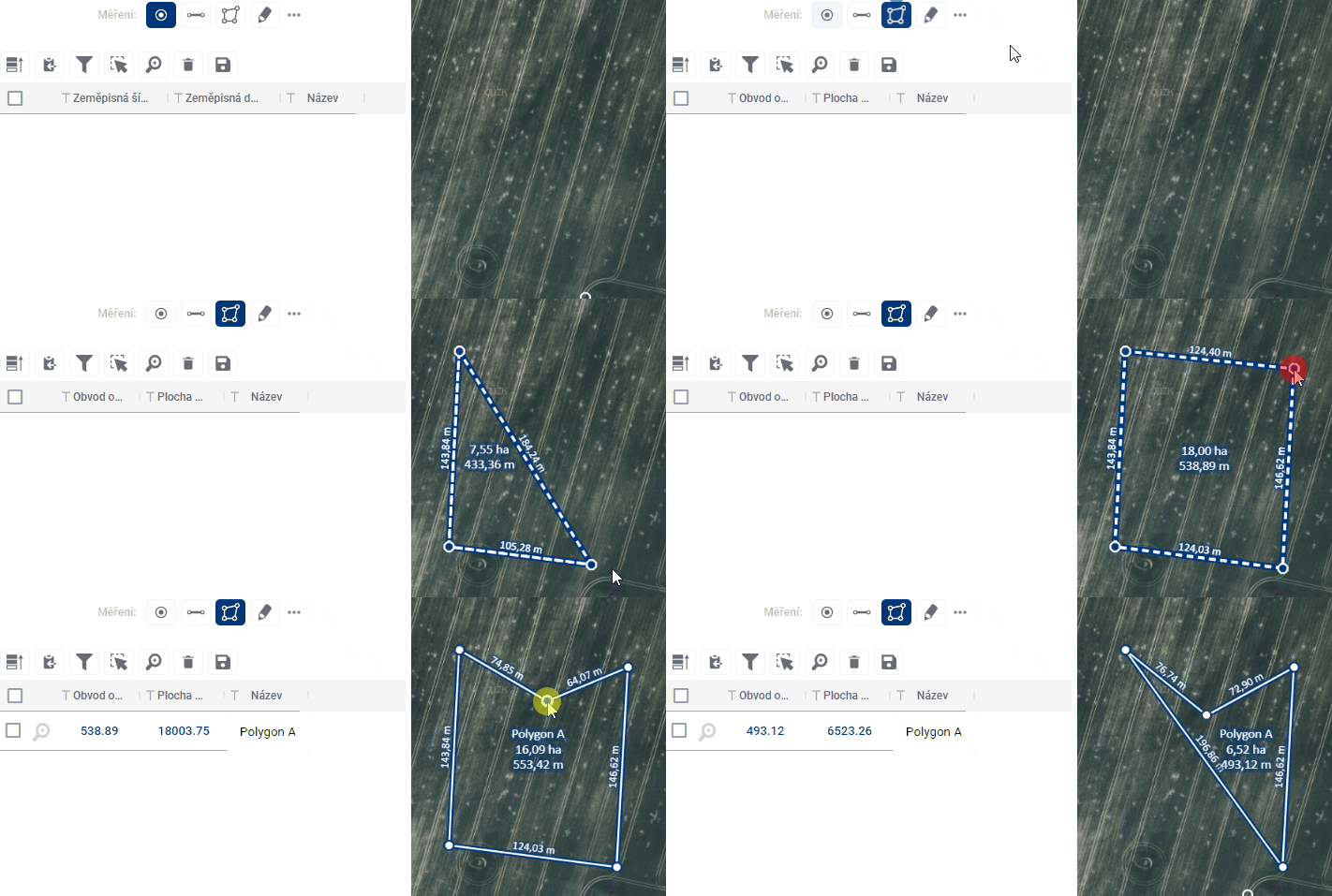
After switching to polygon drawing mode, closed broken lines can be added to the map. Drawing is done by each click adding a new refraction point to the feature, double-clicking then closes the polygon by connecting the click point to the start point and finishing the feature drawing. A right click also ends the drawing, but without creating a new point at the click point. A new click at a different point will start drawing the next line. Shapes can be edited by moving breakpoints and by adding a new breakpoint to the line. A breakpoint can also be removed by pressing and holding the “CTRL” key and clicking on the selected point.
The results table contains a name, which the user can customize, and the measured perimeter and area of the shape. The partial lengths of the line segments between the breakpoints are shown on the map directly next to the line.