5.1. POINT
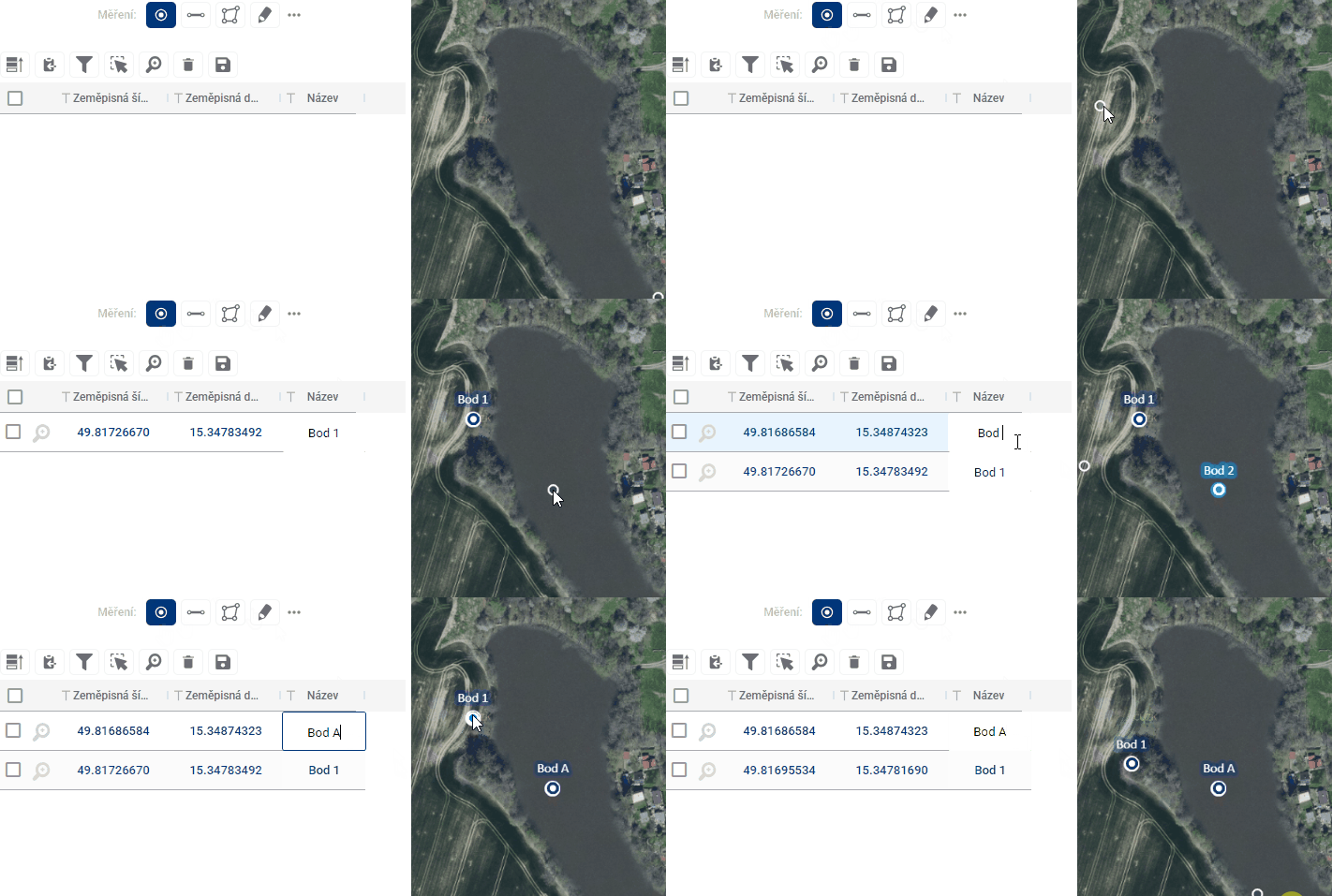
Custom waypoints are added to the map by simply clicking anywhere in the map window after going to the measurement module. This creates an entry in the measurement results table. For each point, the table displays its S-JTSK coordinates as well as a name that the user can edit as desired. The position of the points can also be adjusted by simply dragging the point to another location in the map window.