3D scenes contain data viewable after switching to 3D
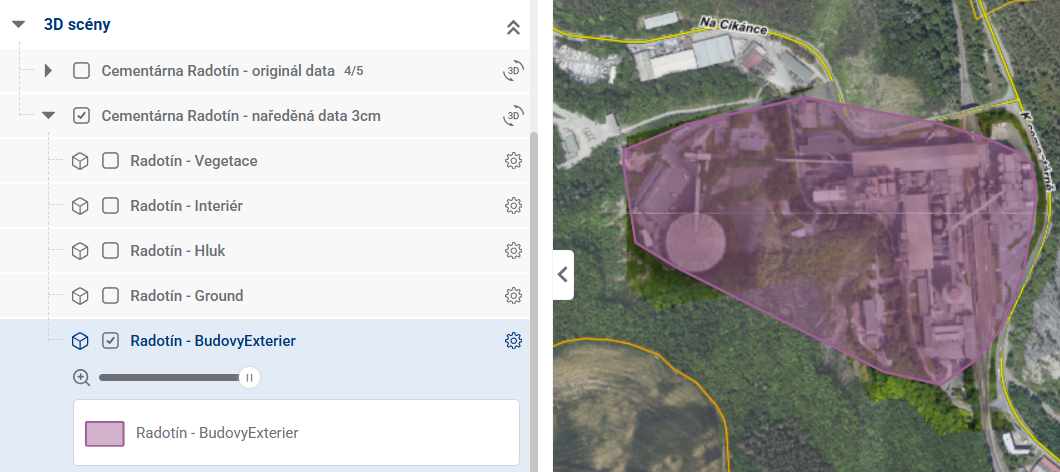
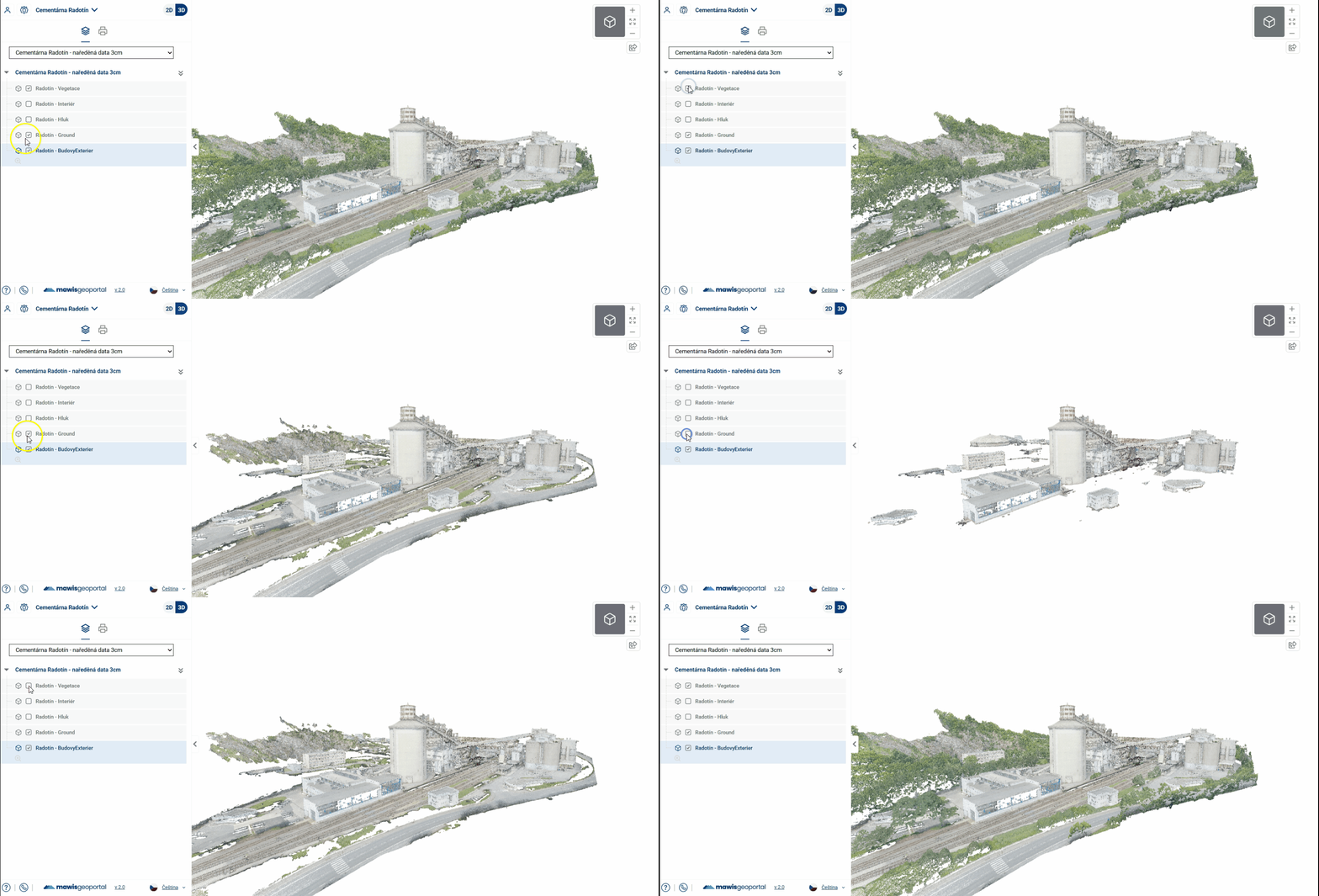
each scene can contain several layers, which together form the whole 3D model
in 2D, each layer is represented by a purple polygon that shows the 2D footprint of the 3D model
next to the scene title there is a button to go to the scene in 3D
individual layers can also be switched on and off in 3D
In addition to models (point clouds), a 3D scene can also include spherical photos
In the organizer, they once again take the form of a layer or layers that can be turned on and off
In the model, they are displayed as purple dots
By clicking on a point, the user switches from viewing the point cloud to viewing the spherical photo
The “Return to Original View” button returns the user to the point cloud at its original position and orientation
- ve 2D mapě se zobrazují jako body, ale pokud jsou sférické fotky v lokálním souřadnicovém systému (bez SRS), zobrazuje se místo jednotlivých hotspotů jeden polygon za všechny sféry
    - proklik z jeho popupu otevře příslušnou 3D scénu (ne přímo sféru)